RuntimeCSG: Real-time Boolean Modeling for Unity
I built a real-time constructive solid geometry package for Unity. Per-brush boolean operations, chunked meshing, and it works at runtime. Here's how it works and why BSP trees were a dead end.
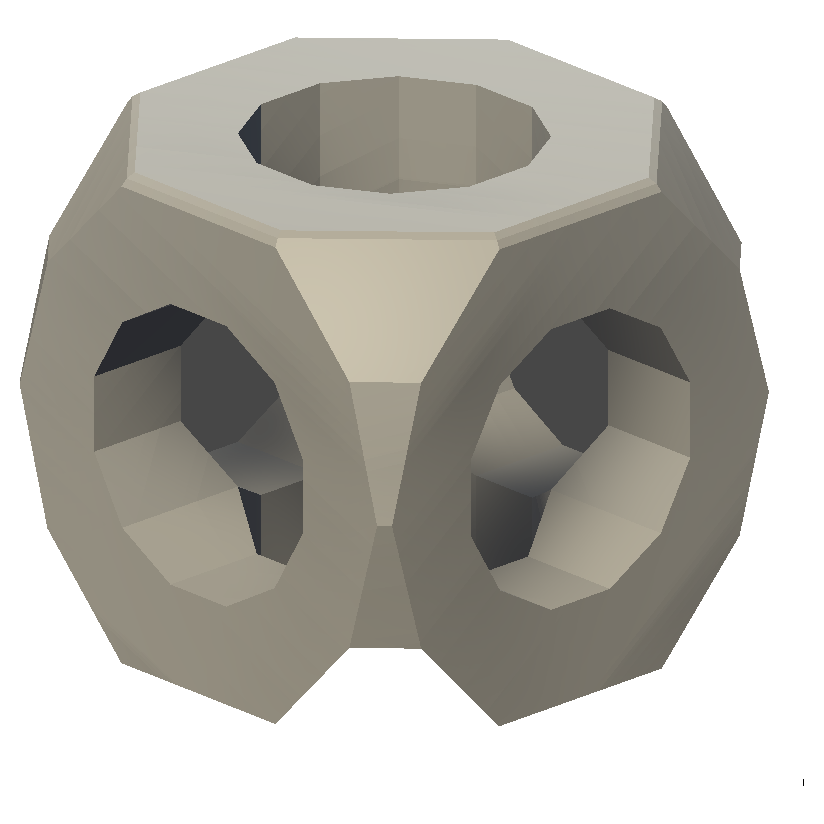
I’ve been working on a real-time CSG (Constructive Solid Geometry) package for Unity. You place brush primitives, set them to union/subtract/intersect, and the engine computes the boolean result into meshes on the fly. No baking, no export, no waiting.
What It Does
You add a CSGModel component to a GameObject, then add child CSGBrush components. Each brush has a shape (box, wedge, cylinder, arch, sphere) and an operation (additive, subtractive, intersect). The engine evaluates all the booleans and produces chunked Unity meshes with colliders.
Move a brush, the mesh updates. Delete a brush, mesh updates. Change an operation from additive to subtractive, mesh updates. Everything is live.
The BSP Dead End
My first approach was the textbook one: build a BSP tree from all the polygons, then use CSG tree operations (union, subtract, intersect) to combine them. This is what csg.js does, and I verified my implementation matches it exactly.
The problem is that BSP trees are monolithic. Every time anything changes, you rebuild the entire tree from scratch. With a single brush, that’s fine. With 20 brushes in a chunk, the tree gets deep, the polygon count explodes from splitting, and you’re doing way more work than necessary.
The BSP code still exists in the repo (deprecated), but the engine doesn’t use it anymore.
The Chisel Approach
I switched to a Chisel-style per-brush algorithm. Instead of building one massive tree, each brush is processed independently:
- Split - Each brush’s polygons are split against the planes of all overlapping brushes, creating convex fragments
- Categorize - Each fragment is classified as inside, outside, or coplanar relative to every other brush
- Evaluate - The boolean chain is evaluated for both sides of each fragment. If one side is solid and the other is empty, the fragment is on a visible boundary
- Build - Visible fragments get built into chunked Unity meshes
The key insight is the boolean chain evaluation. For each fragment, we compute whether a point just in front of it and just behind it would be “solid” after applying all the boolean operations in order:
1
2
3
4
5
6
7
8
9
10
11
12
13
14
15
16
17
18
19
20
21
22
static bool EvaluateChain(List<BrushData> brushes, bool[] isInside, int brushCount)
{
    bool solid = false; // start with empty space

    for (int b = 0; b < brushCount; b++)
    {
        switch (brushes[b].Operation)
        {
            case CSGOperation.Additive:
                solid = solid || isInside[b];
                break;
            case CSGOperation.Subtractive:
                solid = solid && !isInside[b];
                break;
            case CSGOperation.Intersect:
                solid = solid && isInside[b];
                break;
        }
    }

    return solid;
}
If front=empty, back=solid, the fragment faces outward (visible). If front=solid, back=empty, it faces inward (flip it). If both are the same, it’s not on a boundary (discard).
Coplanar Tiebreaking
The trickiest part was handling coplanar faces. When two brushes share a face (like two boxes touching), both brushes generate a polygon on that plane. Without special handling, you get z-fighting.
The fix: later brushes in the chain always win. If brush A and brush B share a coplanar face, brush B claims it and brush A’s fragment is discarded. Simple rule, but it took a while to get right.
Chunk System
The world is divided into a grid of chunks. Each chunk independently collects the brushes that overlap it, runs the CSG engine, and builds a mesh. Only dirty chunks rebuild when something changes.
Each chunk gets its own GameObject with a MeshFilter, MeshRenderer, and MeshCollider. Physics just works.
Double Precision Where It Matters
All plane math uses doubles internally. The plane equation is Ax + By + Cz + D = 0 with double-precision coefficients. This matters at world scale - single-precision floats start collapsing around 1000 units from origin, and CSG plane intersections amplify those errors.
Floats only appear at the final mesh output stage where Unity requires them.
The Icon Shape
That shape in the header is the Wikipedia CSG icon, generated entirely by the engine:
- Additive box (half-extents 0.5)
- Intersect sphere (radius 0.68, 8x8 segments - rounds the corners)
- Three subtractive cylinders along X, Y, Z axes (radius 0.28, 12 sides - punches the holes)
Five brushes, one RebuildAll() call. You can spawn it from the editor menu: GameObject > CSG > CSG Icon Shape.
Editor Tools
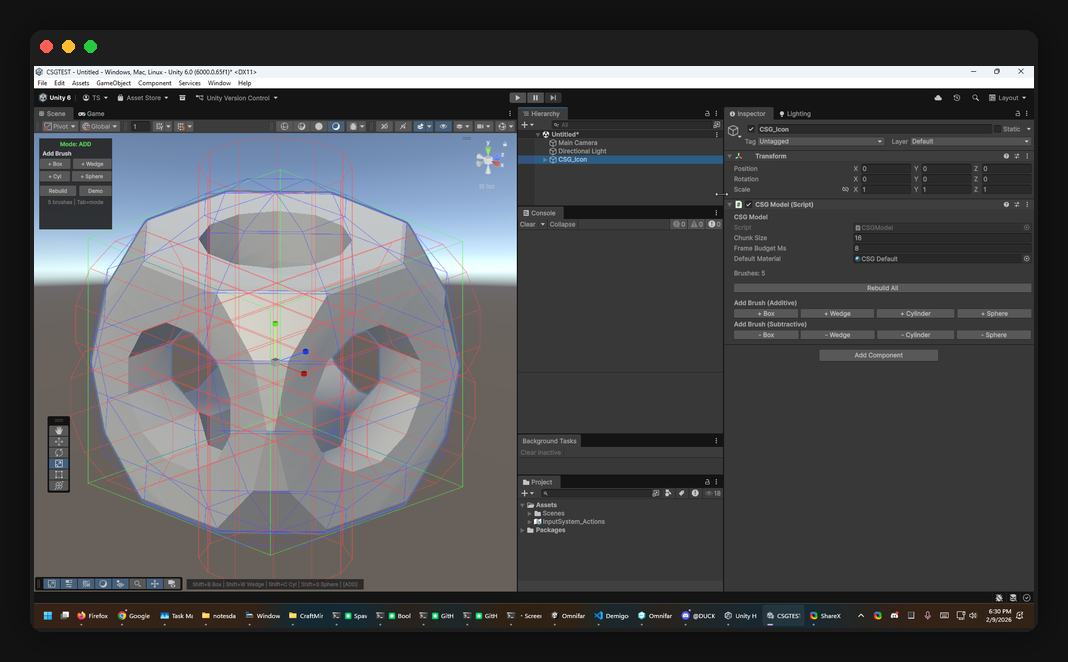
The package includes a scene overlay toolbar, keyboard shortcuts, and per-brush wireframe visualization:
- Tab toggles between additive/subtractive mode
- Shift+B/W/C/S adds box/wedge/cylinder/sphere brushes
- Wireframes are color-coded: green for additive, red for subtractive, blue for intersect
- Face drag handles let you push/pull individual brush faces
What’s Next
The big missing piece is incremental updates. Right now, RebuildAll() reprocesses every brush in every dirty chunk. The architecture supports per-brush incremental recomputation (that’s the whole point of the Chisel approach), but the dirty tracking and partial rebuild logic isn’t wired up yet.
Other things on the list:
- UV mapping beyond basic planar projection
- Material per-face support
- Texture atlas generation
- Better sphere/cylinder intersection with fewer polygon fragments
Install
Add to Unity via Package Manager > Add package from git URL:
1
https://github.com/TrentSterling/runtimecsg.git
Or in Packages/manifest.json:
1
"com.runtimecsg.core": "https://github.com/TrentSterling/runtimecsg.git"
Requires Unity 2021.3+. MIT licensed. 143 unit tests passing.