SnapScan - AI-powered screenshot manager that runs entirely on your machine
A desktop app that scans, indexes, and AI-labels thousands of screenshots using local Ollama. No cloud, no subscriptions, no data leaves your machine.
The Problem
I have nearly 10,000 screenshots on my machine. ShareX dumps, Windows Print Screen captures, game clips, dev screenshots, browser snaps. They all go into folders organized by date, which means finding anything requires remembering roughly when you took it and scrolling through hundreds of thumbnails.
Search doesn’t help because filenames are garbage like SnapScan-dev_717Vx0jYcn.png and Windows search can’t read what’s inside an image. The screenshots are effectively write-only. I take them, and they vanish into a folder graveyard.
I wanted something that could look at every screenshot, understand what’s in it, and let me search by content. Not a cloud service that uploads my screenshots to someone else’s server. Something local.
What SnapScan Does
SnapScan is a desktop app built with Wails (Go backend + Svelte frontend). You point it at your screenshot folders and hit Scan. It indexes everything it finds: generates thumbnails, computes hashes, extracts metadata.
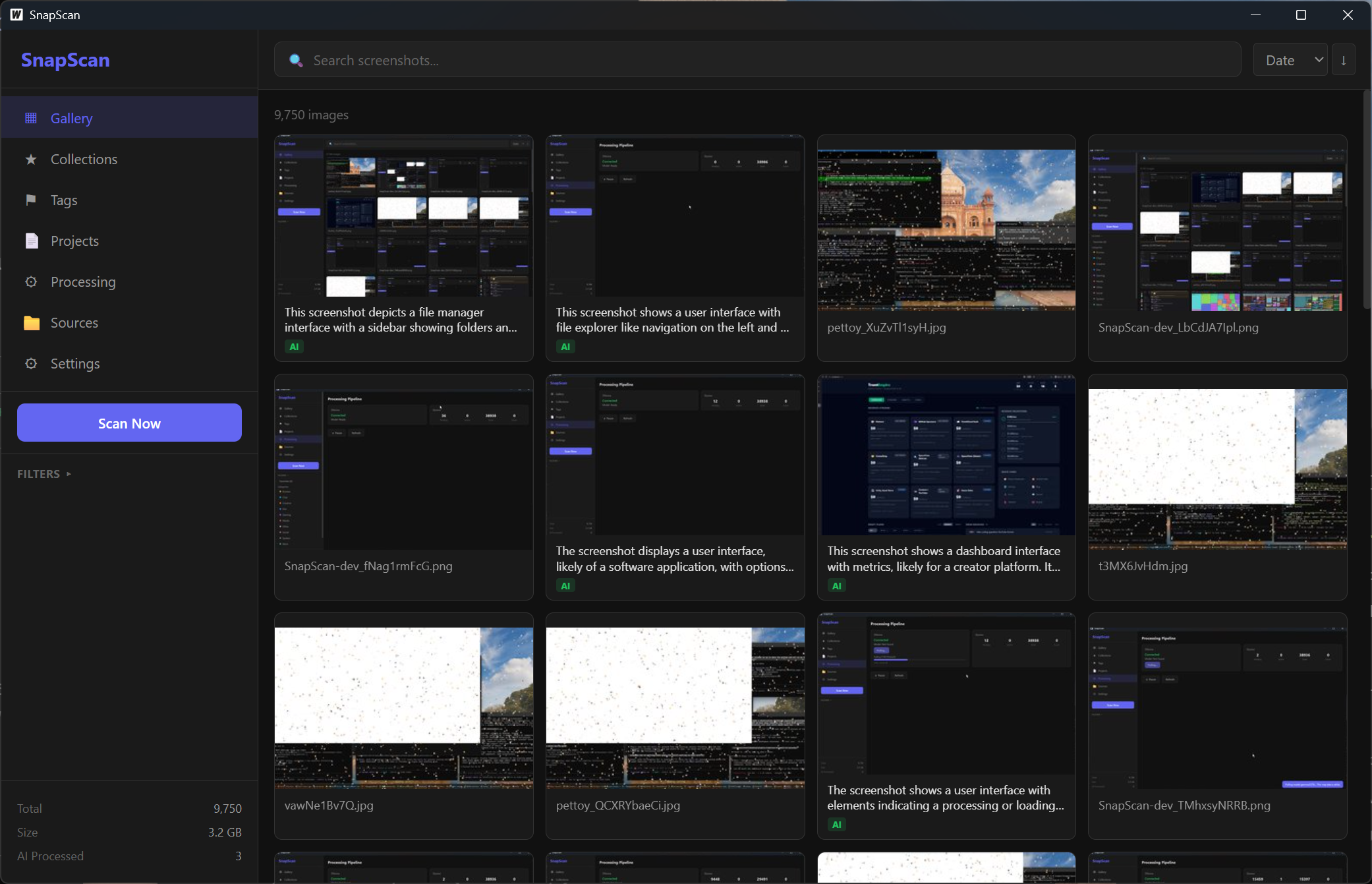 The gallery view. Each card shows an AI-generated description and category badge.
The interesting part is the AI pipeline. SnapScan connects to a local Ollama instance running Gemma 3 27B (a vision model). It feeds each screenshot to the model and gets back:
- Description - a 1-2 sentence summary of what’s shown (“VS Code showing a Go file with syntax highlighting”)
- Category - one of Dev, Gaming, Social, Browse, Work, Creative, System, Media, Chat, or Other
- Tags - 3-8 keyword tags (lowercase, hyphenated)
- OCR text - any readable text in the image
- NSFW score - 0-10 safety rating
All of this gets stored in a local SQLite database. The gallery view shows AI descriptions and category badges on each card. You can search across descriptions, OCR text, tags, and filenames. Clicking a category in the sidebar filters to just those screenshots.
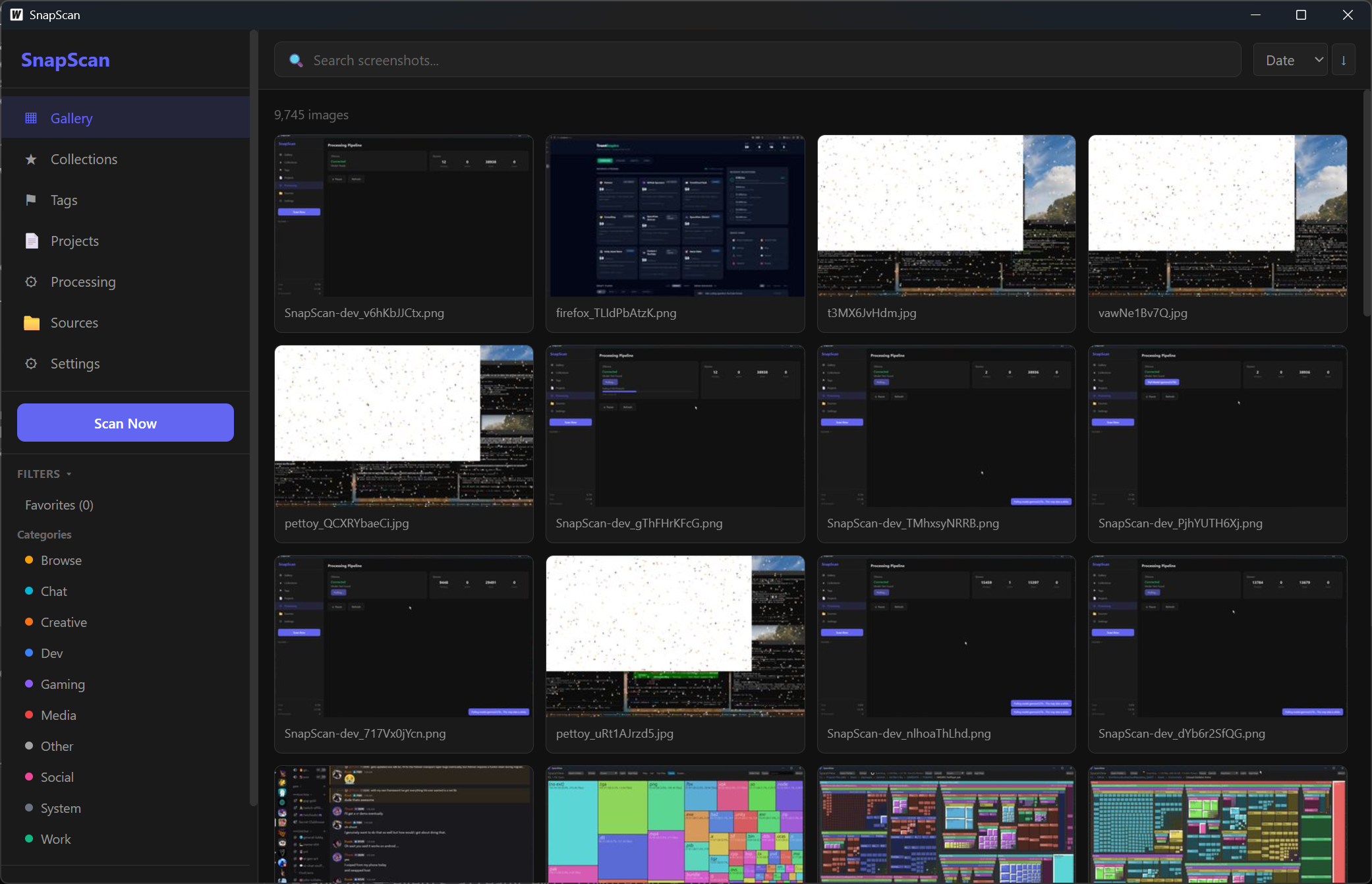 Category filters in the sidebar. AI auto-assigns every screenshot to a category.
The Architecture
Backend: Go with pure-Go SQLite (via modernc.org/sqlite, no CGO needed). The processing pipeline has separate worker pools for IO tasks (hashing, thumbnails, metadata) and AI tasks. IO work runs in parallel; AI runs one at a time since Ollama serializes GPU inference anyway.
Frontend: Svelte 3 with TypeScript. Gallery with infinite scroll, detail view with full AI results, collections/tags/projects for organization. Toast notifications, bulk actions, and a processing panel that shows AI progress in real-time.
AI: Ollama running locally. The app checks if Ollama is reachable and if the model is installed. If not, there’s a “Pull Model” button with a streaming progress bar that shows download progress in GB. Once the model is ready, you hit “Start AI Processing” and it works through every unprocessed image.
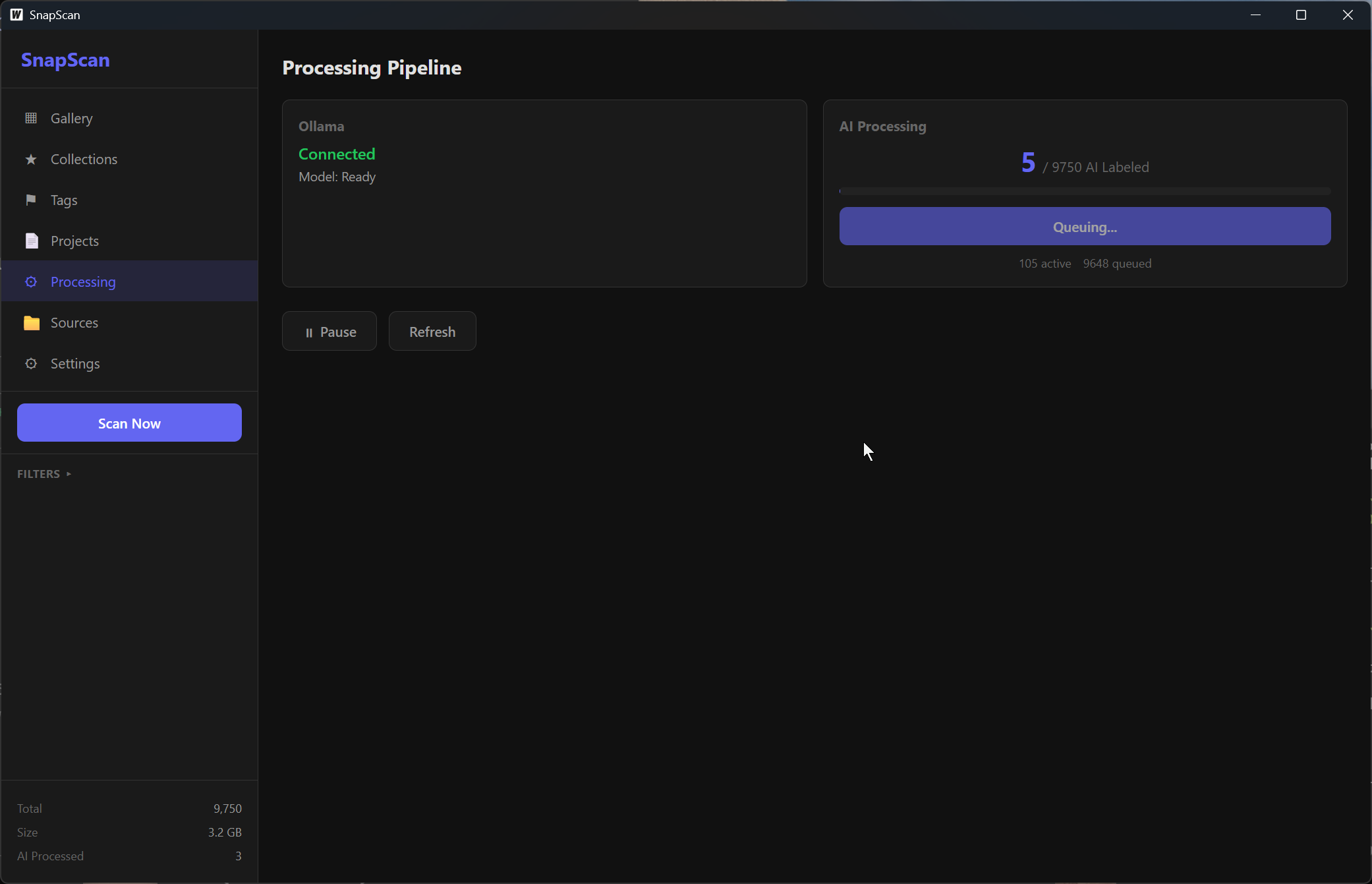 The processing panel. Ollama connected, model ready, 9,750 images queued for AI labeling.
The whole thing compiles to a single .exe via Wails. No installer needed, no runtime dependencies (except Ollama for AI features).
Processing 10,000 Screenshots
Scanning 10,000 screenshots takes about 30 seconds. Generating thumbnails and metadata runs in parallel across multiple workers and finishes quickly.
AI processing is the bottleneck. Each image takes a few seconds through Gemma 3 27B, depending on your GPU. On my machine it’s roughly 5-10 seconds per image. For 10,000 screenshots that’s a solid overnight job. But it’s a one-time cost; new screenshots get processed incrementally.
The results are surprisingly good. The model correctly identifies VS Code, Discord, Chrome, game UIs, terminal windows, and design tools. It reads text from screenshots accurately enough to be searchable. Categories are right most of the time. The descriptions are genuinely useful for search.
What’s There
- Gallery with infinite scroll and thumbnail caching
- AI vision processing with Ollama (Gemma 3 27B)
- Full-text search across AI descriptions, OCR, tags, filenames
- Auto-categorization (Dev, Gaming, Social, Browse, etc.)
- Collections, tags, and projects for manual organization
- Bulk actions (tag, favorite, add to collection)
- ShareX history integration (reads the ShareX History.db directly)
- Duplicate detection via perceptual hashing
- Optional Claude API enrichment for deeper analysis
- Processing panel with real-time progress and model management
What’s Next
The immediate priorities are:
- Auto-generated projects - group screenshots by date chunks and similarity
- Better search - full-text search is wired up but needs UI polish
- Production builds - proper
.exereleases on GitHub - Keyboard shortcuts - arrow keys in gallery, Esc to go back
The longer-term vision is making this the default way I interact with my screenshots. Take a screenshot, SnapScan auto-detects it via file watcher, processes it with AI, and it’s immediately searchable. No more folder graveyards.
| Landing Page | GitHub (private) |