Sticky keys in Flash
Diagnosing and fixing the sticky keys bug in Flash games on Internet Explorer.
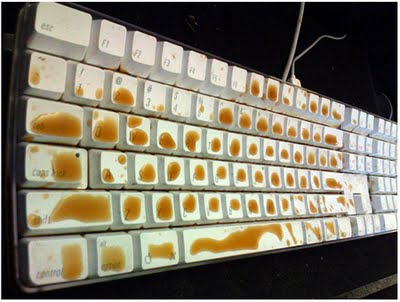 Sticky!
The Bug
This bug appears in Internet Explorer, and debug builds of the standalone Flash Player. It’s commonly referred to as ‘Sticky keys’, or keyboard lag. Generally it makes playing Flash games impossible, as you are unable to time your movements correctly. Many people have been complaining about it for ages, without a proper fix in sight. The problem extends from the OS’s keyboard repeat rate.
Holding down a key like so: AAAAAAAAAAAAAA…
…Will send a new KEY_DOWN event to the Flash Player, fairly rapidly.
Example
To see an example of this bug, click the SWF link below. (Must be using Internet Explorer to see it happen!)
http://www.mdn.fm/files/273405_5r7hn/StickyKeys.swf
Essentially, keyboard AND mouse events are stacked up in queue when CPU usage is high. This is a bug in the Flash Player, and it has been reported here:
http://bugs.adobe.com/jira/browse/FP-6113
Click the link above and sign up for an account. After doing so, you can VOTE on the issue, which will bring it closer to the developers eyes.
To see a large amount of complaints: http://www.kongregate.com/forums/7-technical-support/topics/67250-fix-for-keys-sticking-in-games-in-internet-explorer
A possible fix
So you have a Flash game that is fairly resource intensive? You’re noticing that your player character moves after you’ve let off the movement keys? Then here is my simple fix. Drop the target frame rate. If you have a game running with 60FPS at the target, but you’re only getting 35FPS you are bound to run into this issue in IE/standalone debug player. My setting the target at 35FPS, you’ve done nothing, because the CPU usage will still be high, and the events will get backed up. Try using averageFPS-5. Set it to 30FPS, and the CPU usage will go down just enough to free up the event queue.
http://livedocs.adobe.com/flash/9.0/ActionScriptLangRefV3/flash/system/Capabilities.html#playerType
There is a property called playerType, that’ll allow you to detect IE, and then you can do a benchmark and set the FPS dynamically. Of course, it may be too late in your game to implement this, but if you’re using Frame Rate Independent Movement (FRIM), your frame rate doesn’t mess up gameplay.
EDIT: It looks like the Adobe guys are working on the issue. Excellent news, but I don’t think I can wait for the fix. I’ll just release my game with the above fix that PaulGene and I came up with.